




Most organizations believe that their problem is getting leads. No, it’s not. The real problem is lead leakage, which happens when inquiries don’t turn into enrollments because of slow follow-ups, bad tracking, or systems that aren’t connected. A student sends in a question at 8 PM, and your team doesn’t get back to them until the next morning. By then, the student has already decided to go to a different school. This is where admissions teams lose 30–50% of potential students before they even start talking.
This guide will show you step by step how to successfully set up a CRM for student admissions teams. We’ll talk about how to set up your admissions funnel, keep track of leads in one place, automate follow-ups, and use the right metrics to measure performance. You’ll also learn about common mistakes people make when setting up their CRM and how to avoid them. This way, your CRM won’t just keep track of data; it will also help you get more people to sign up and convert.
Table of Contents
Why Most Admissions Teams Fail to Use CRM Properly
A lot of schools get a CRM and expect to see results right away, but they don’t see much, if any, improvement. The answer is simple: a CRM can’t fix a broken admissions process. The CRM will only digitize these problems if your funnel is unclear, your follow-ups are inconsistent, or your team doesn’t take ownership.
Most of the time, the problem isn’t the tool; it’s the lack of structure. Leads aren’t being tracked correctly, stages aren’t clear, and it’s hard to see where conversions are dropping. Even the best CRM won’t work if these gaps aren’t fixed.
A successful implementation puts the process first and the tool second. This means that you need to clearly define the stages, give each one a specific person in charge, and set measurable goals before you start automating.
What a CRM Should Actually Solve for Admissions Teams
Before they start using a CRM for education, schools and businesses need to be clear about what problems they are trying to solve. Without this clarity, people adopt CRM based on its features instead of its results.
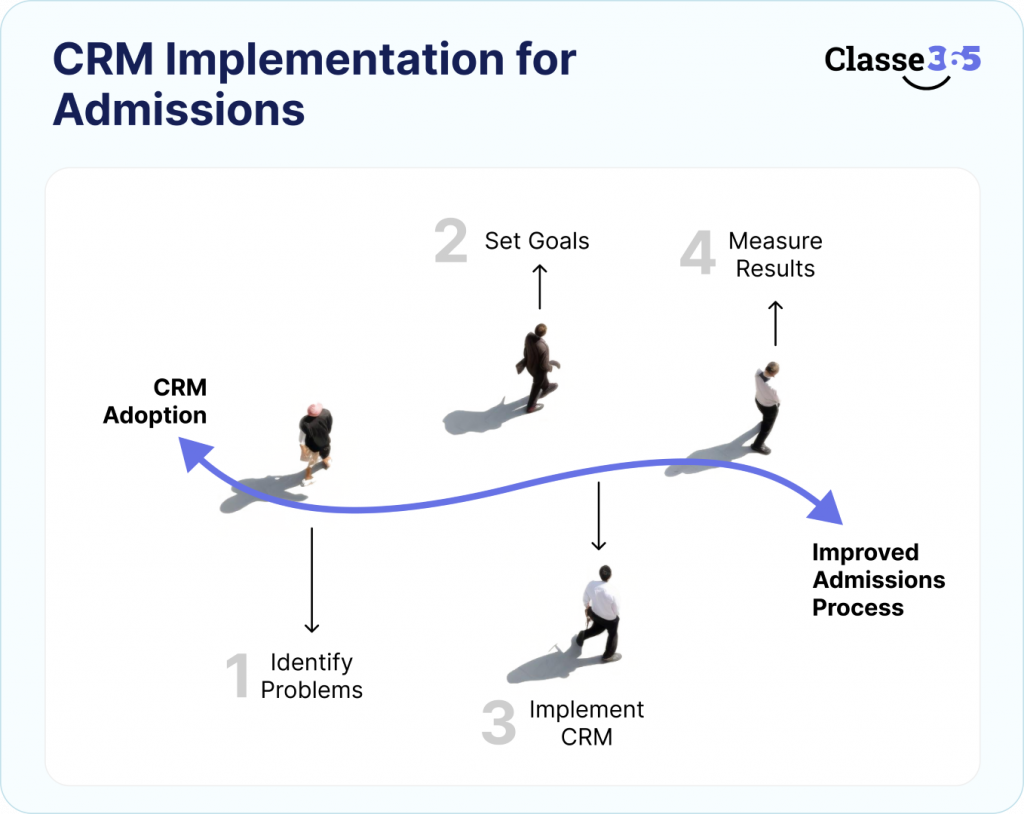
The main goal of a CRM should be to get rid of inefficiencies in the admissions process. It should bring all leads together, make sure follow-ups happen on time, and show how well conversions are doing. More importantly, it should help teams go from reacting to data to making decisions based on data.
If your CRM isn’t speeding up responses, increasing conversions, or making workflows easier, it’s not being used properly.
Core Problems vs. Expected Results
| Admissions Challenge | What CRM Should Solve |
| Leads scattered across platforms | Centralized lead management |
| Delayed follow-ups | Instant response automation |
| No funnel visibility | Real-time pipeline tracking |
| Manual reporting | Automated dashboards |
Before You Start: Map Out Your Admissions Funnel (A Very Important Step That Many People Skip)
This is the most important step in CRM implementation, but it’s also the most often missed. Your CRM won’t be organized or consistent if you don’t have a clear admissions funnel.
Mapping your funnel helps you see how students go from asking questions to signing up and where they lose interest. It also lets you clearly assign ownership at each step and keep track of how well things are going.
When institutions skip this step, they often have trouble with low conversions because they can’t find bottlenecks or make their process better.
Typical Admissions Funnel
| Stage | Description |
| Inquiry | Student shows interest |
| Qualified | Lead meets criteria |
| Application | Form submitted |
| Offer | Admission decision made |
| Enrollment | Student joins |
Benchmark Conversion Rates
| Stage | Expected Range |
| Inquiry → Application | 20–40% |
| Application → Enrollment | 60–80% |
Step 1: Put all of your lead sources into one system.
When leads come from different places but are handled separately, it can be hard to keep track of them and feel like you own them. Follow-ups are often missed by admissions teams because leads are spread out over different platforms.
By putting all of your lead sources in one place using a pre-admissions and enrolment system, you can make sure that every inquiry is recorded, tracked, and assigned correctly. It also gets rid of the need for manual data entry and lowers the chance of missing high-intent prospects.
Using the right admissions CRM tools can make this centralization seamless and reliable. Your CRM will never show you the whole picture of your admissions pipeline if you don’t do this step.
How to Set Up
- Put all of your website forms, ads, and portals into one system.
- Allow automatic lead capture
- Get rid of manual data entry whenever you can.
KPI
- Capture rate for leads (goal: 95% or more)
Step 2: Set a standard for and define the structure of your lead data
The data in a CRM is what makes it work. Your reports and insights won’t be reliable if your data isn’t consistent or complete.
Standardizing your data makes sure that every lead gets the right information and can be followed through the funnel in a consistent way. This also makes it easier to segment, personalize, and report correctly.
Institutions that skip this step often end up with systems that are hard to use and trust because they are too full.
What to Define
- Information about the student (name, contact information, and demographics)
- Interest in a course or program
- Source of leads
- Stage or status of the funnel
KPI
- Rate of completeness of data (>90%)
Step 3: Automatically assign leads right away
One of the most important things for admissions conversion is speed. The quicker you respond to a lead, the more likely you are to turn them into a customer.
Assigning leads by hand causes delays and confusion, especially during busy admission times. When this process is automated, every lead is assigned right away and followed up on right away.
Institutions that respond in minutes always do better than those that take hours or days.
What to Make Automatic
- Automatically give leads to counselors
- Set off instant alerts
KPI
- How long it takes to respond first (5–10 minutes)
Step 4: Set up automated follow-up workflows
It’s important to follow up consistently, but doing it by hand isn’t always reliable. Admissions teams often miss follow-ups because they are too busy, which means they miss out on chances.
Automated workflows make sure that every lead gets the right information at the right time, depending on where they are in the funnel. This gets people more involved and keeps prospects moving forward.
Well-planned workflows also keep things consistent while making teams’ jobs easier.
Example Workflow
| Stage | Action |
| Inquiry | Instant email + SMS |
| Day 2 | Follow-up reminder |
| Day 5 | Application prompt |
| Day 10 | Final reminder |
KPI
- Rate of engagement
- Completion rate for follow-ups
Step 5: Set up tracking for communication across multiple channels
There are many ways to communicate about admissions, but teams can’t see what’s going on without tracking.
A CRM should bring all forms of communication—emails, calls, and messages—together in one place. This makes sure that everyone on the team knows everything they need to know before talking to a lead.
Without this, communication becomes broken and unreliable, which makes the student experience worse.
What to Set Up
- Unified communication logs
- Full conversation history per lead
KPI
- Full conversation history for each lead
- Number of attempts to contact each lead
Step 6: Connect the CRM to the SIS and enrollment systems
Lead management is just one part of CRM implementation. It needs to work with other systems, like Student information system and payment platforms, to make the experience smooth.
Integration makes sure that data flows smoothly from admissions to enrollment without having to do it by hand or duplicate it. It also makes things more accurate and lessens the friction in operations.
Without integration, teams often have to keep up with more than one system, which defeats the point of CRM.
What to Integrate
| System | Purpose |
| SIS | Student records |
| Payment systems | Fee tracking |
| LMS | Learning data |
KPI
- Data sync accuracy (about 100%)
Step 7: Teach your admissions team how to use the CRM every day
Your team needs to use your CRM well, or it won’t work. One of the hardest parts of implementation is getting people to use it.
Training makes sure that your team knows how to use the system for their daily tasks and sees how useful it is. Understanding CRM adoption in education can help leaders make the case internally and reduce resistance across departments.
Companies that spend money on training get more out of their CRM systems.
What Training Should Cover
- Updates on leads
- Keeping track of tasks
- Using the dashboard
KPI
- How many people use CRM
Step 8: Set Up Dashboards for Real-Time Admissions
Data that can’t be seen is useless. Dashboards show admissions performance in real time and help leaders make smart choices.
They let schools keep an eye on important numbers, spot patterns, and quickly deal with problems. Reviewing the top CRM features every educational institution needs can help you understand what a proper dashboard setup looks like and which student performance metrics to prioritize.
Without dashboards, teams have to rely on reports that are often late and wrong.
Key Metrics to Track
| Metric | Insight |
| Lead-to-enrollment rate | Overall performance |
| Response time | Efficiency |
| Source performance | ROI |
Step 9: Keep making your admissions funnel better and better
Setting up a CRM system isn’t a one-time thing. To get better performance over time, you need to keep optimizing.
Institutions can find problems and make specific improvements by looking at data on a regular basis. This makes sure that the admissions process gets better and better with each cycle.
Optimization is what makes a CRM more than just a tool; it makes it a growth engine.
What to Optimize
- When to follow up
- Texting
- Sources of leads KPI
KPI
- Month-on-month conversion growth
Before vs After CRM Implementation
What Actually Changes
| Metric | Before CRM | After CRM |
| Response time | 12-24 hours | <10 minutes |
| Conversion rate | 8-12% | 15-25% |
| Lead tracking | Manual | Automated |
| Reporting | Delayed | Real-time |
Common Mistakes When Setting Up a CRM (And How to Avoid Them)
Not many businesses fail because of the CRM itself, but because of how it is used. You can greatly increase your chances of success by not making common mistakes.
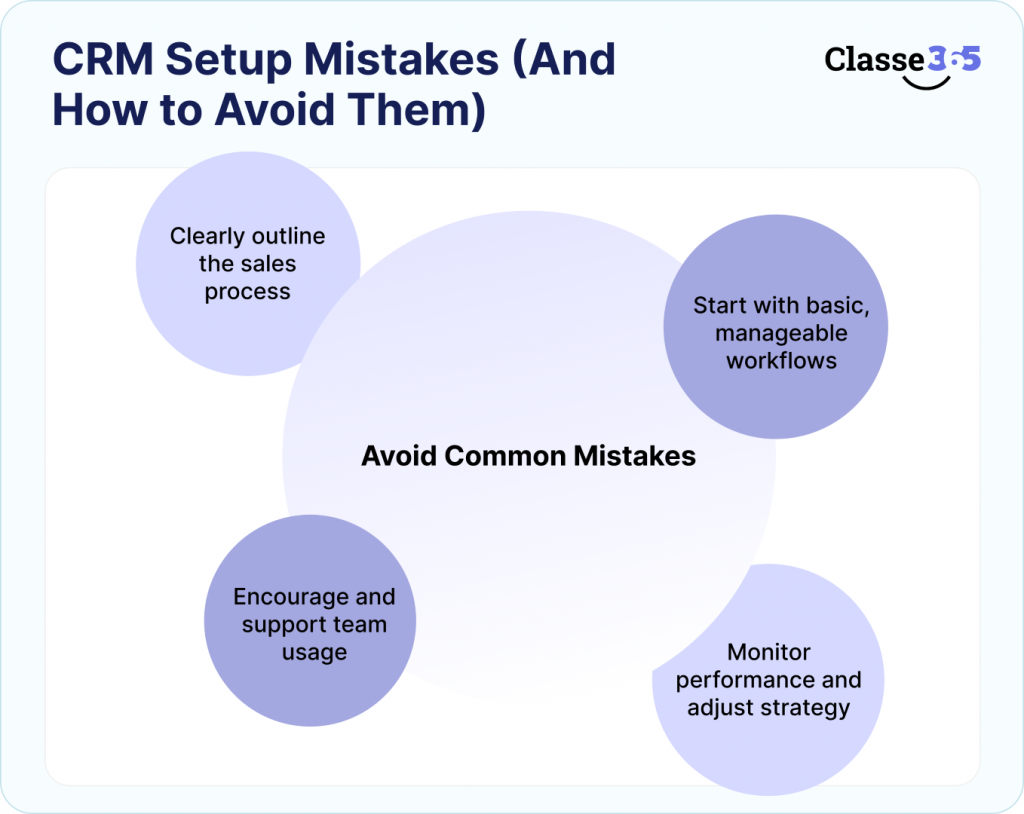
- Not defining the funnel
- Making workflows too complicated too soon
- Not paying attention to team adoption
- Not keeping track of KPIs
Taking care of these things early on makes implementation go more smoothly and leads to better results.
How long does it take to set up a CRM for admissions?
The time it takes to implement varies depending on how complicated it is, but most schools can get started quickly.
It usually takes 1-2 weeks to set up and 3-6 weeks to optimize. The speed depends on how ready the data is, how well the integrations work, and how well the team uses them.
The most important thing is to focus on progress instead of perfection and make changes over time.
What to Look for in a CRM for Student Admissions
Choosing the right CRM is very important for long-term success. It should not only meet the needs of the present, but also help the business grow in the future.
Look for things like automation, integration, and analytics. Choose a system that is made for educational workflows, not just for general business use.
This makes it easier to use and more likely to be adopted.
Why Schools Are Switching to Platforms Like Classe365
Education-focused platforms simplify CRM implementation by combining admissions, student management, and communication in one system.
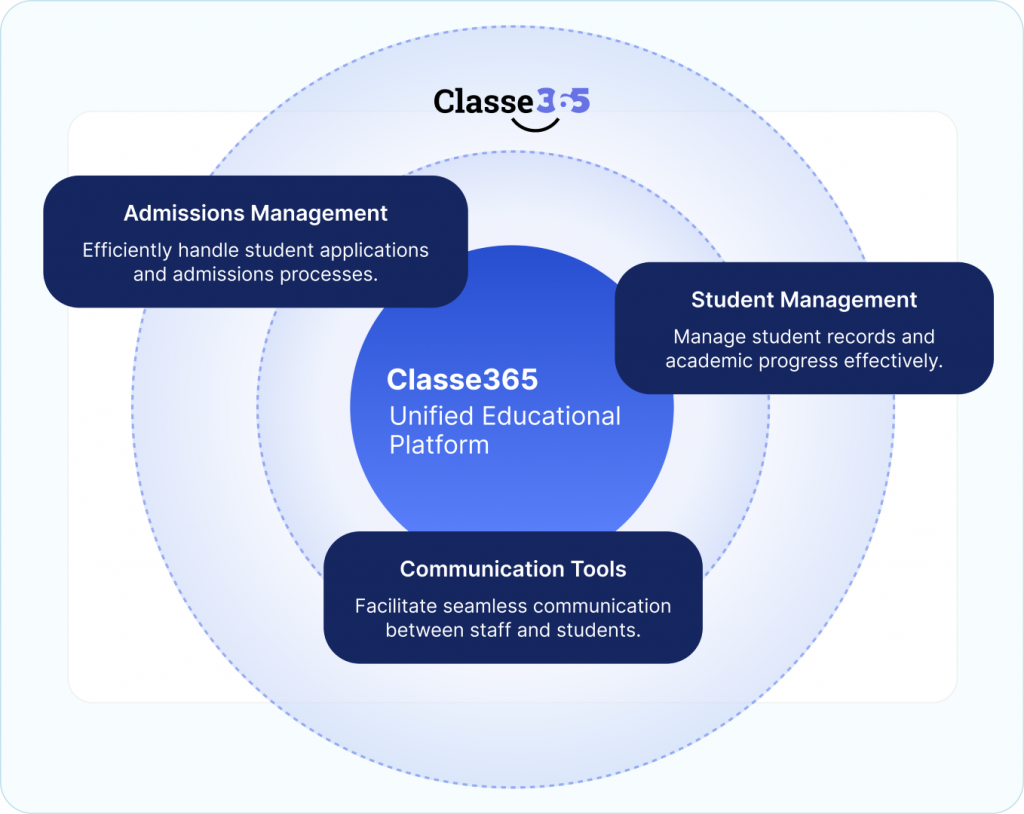
Understanding CRM’s transformative role in EdTech can help institutions appreciate why purpose-built platforms outperform generic CRMs for schools and universities. Whether you manage a school or a university, the right platform can make all the difference.
CRM Implementation Is About Fixing Your Funnel, Not Just Adding Software
Adding a CRM system isn’t just about getting more software; it’s about making your admissions funnel work better. A CRM for higher education engagement and retention helps schools keep track of inquiries, track how applicants interact with them, and manage the process from the first contact to enrollment in a structured way.
A CRM won’t solve problems with admissions right away. But if you use platforms like Salesforce or HubSpot or education-focused tools like Classe365 the right way, they can help you stop tracking things by hand, speed up response times, and make sure that no prospective student inquiry gets lost.
This will eventually make it easier to see the admissions pipeline, communicate better with applicants, and make enrollment decisions based on more data. The main goal of implementing a CRM is not just to use a new tool. It’s to create an admissions system that can grow with the school, is easy to use, and increases conversions.
Frequently Asked Questions
What does a CRM do for student admissions?
A CRM helps schools keep track of leads, automate follow-ups, and keep an eye on the whole admissions process, from inquiry to enrollment.
How does CRM help more people sign up?
By speeding up responses, making follow-ups better, and giving a clear view of the admissions funnel.
Can CRM take the place of spreadsheets?
Yes, CRM systems get rid of the need for manual tracking and give you structured workflows.
Do small businesses need CRM?
Not right away, but it becomes necessary as the number and complexity of leads grows.
What is the return on investment (ROI) of CRM in admissions?
Better conversions, less manual work, and better decision-making all lead to a measurable return on investment.