
 Classe365
 Hiree365

 AI Module
AI that works inside your student information system
Ask questions in plain language, Write report card comments with AI Evaluate, and spot students at risk before they fall behind. All inside the Classe365 records your staff already use.
Trusted by 6,000+ educational institutions in 130 countries












Everything you need to put AI to work across your institution
The Classe365 AI module adds AI to the screens your team already works in, so it saves time from day one with nothing new to learn.

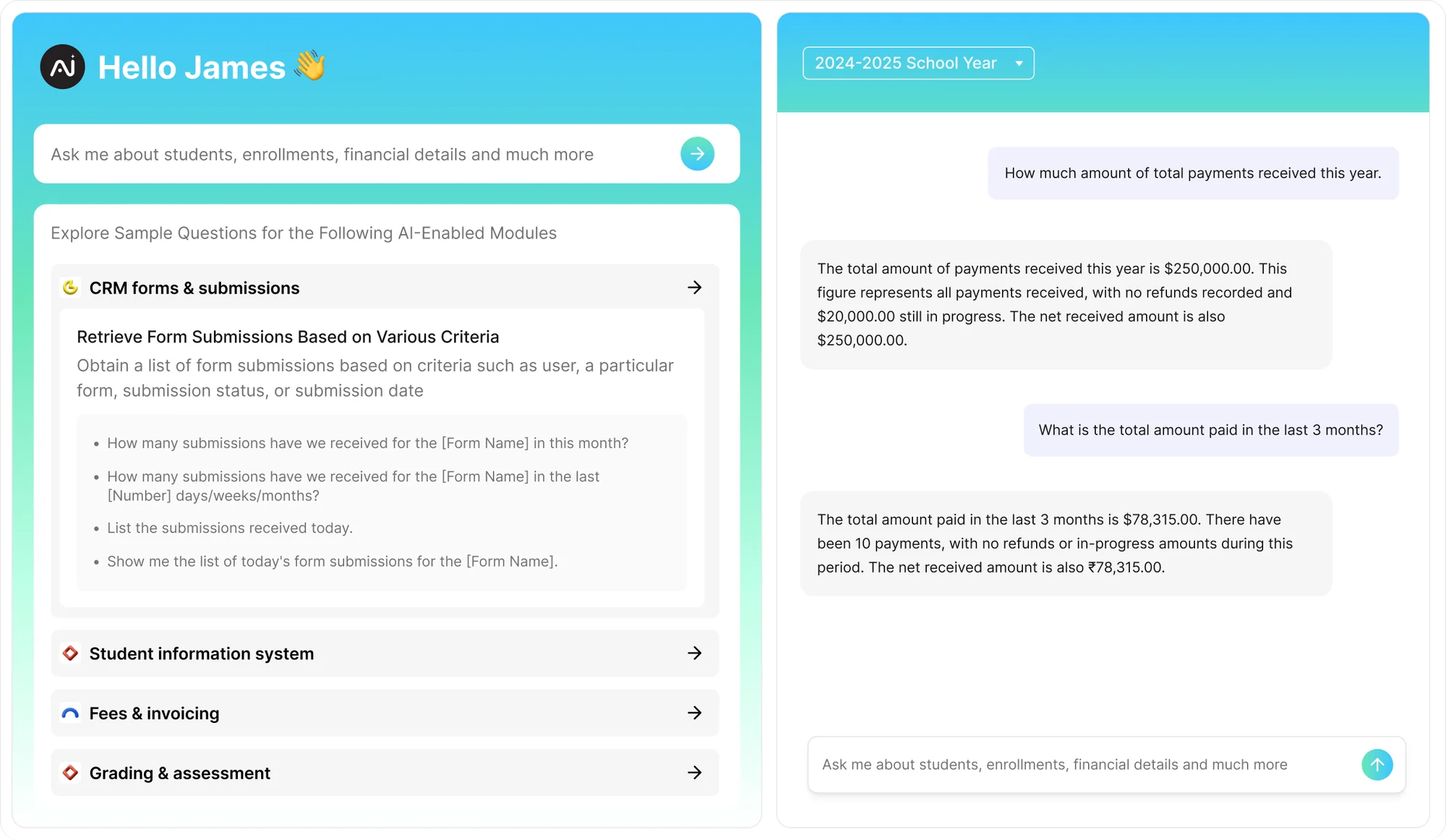
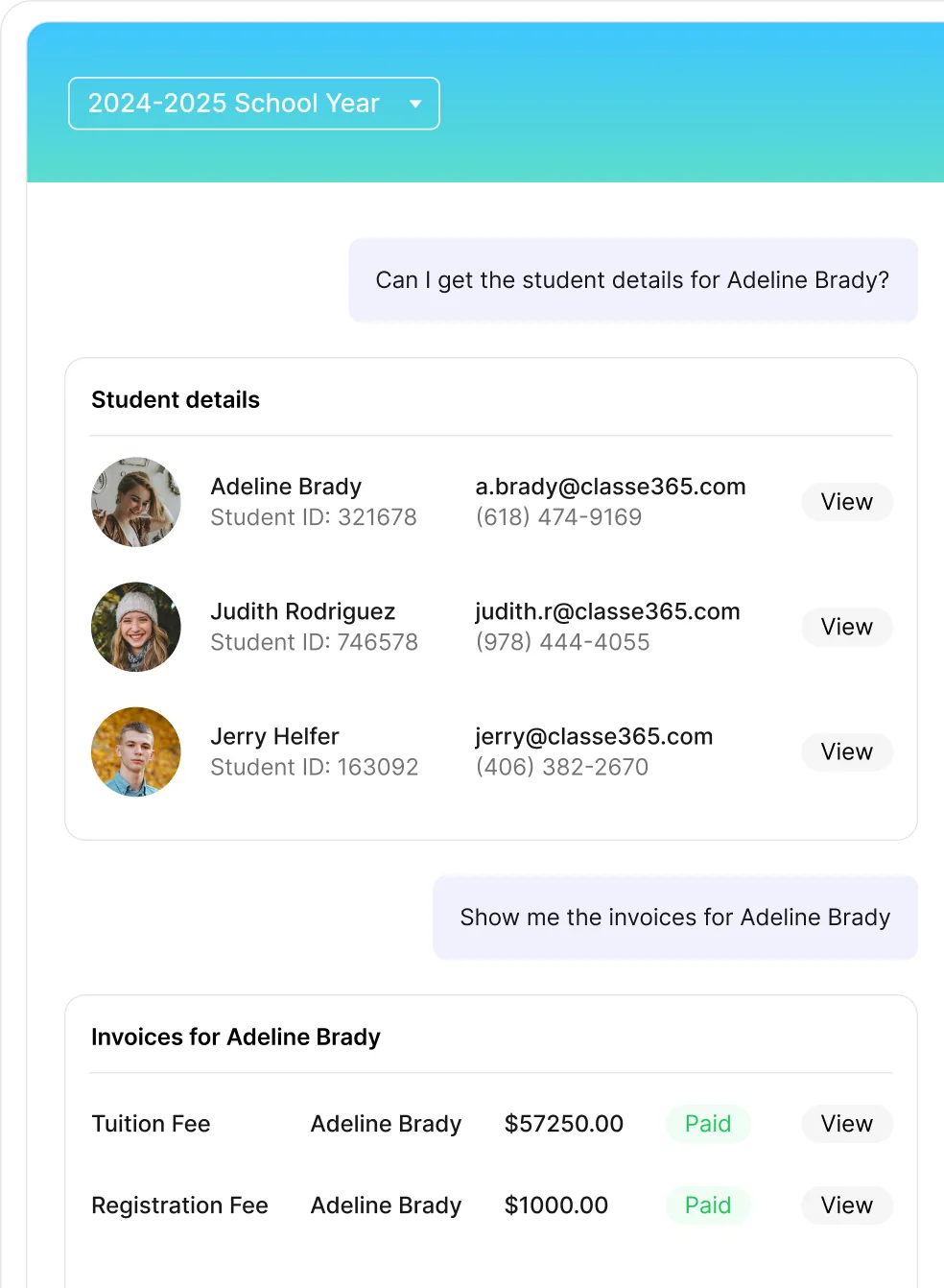
Open the AI assistant and ask about students, enrollments, attendance or fees in plain language. It answers across CRM forms, students, teachers, attendance, grading, quizzes and invoicing, then takes you straight to the right page.
Select your students, click AI Evaluate, and a summary comment for each student lands in the grade book’s overall comment, ready for the report card. Teachers review and edit before anything goes home.
AI Analytics on each student profile covers attendance patterns and academic performance, and predicts pass or fail in every subject with an attrition rate, so advisors can see who needs help first.
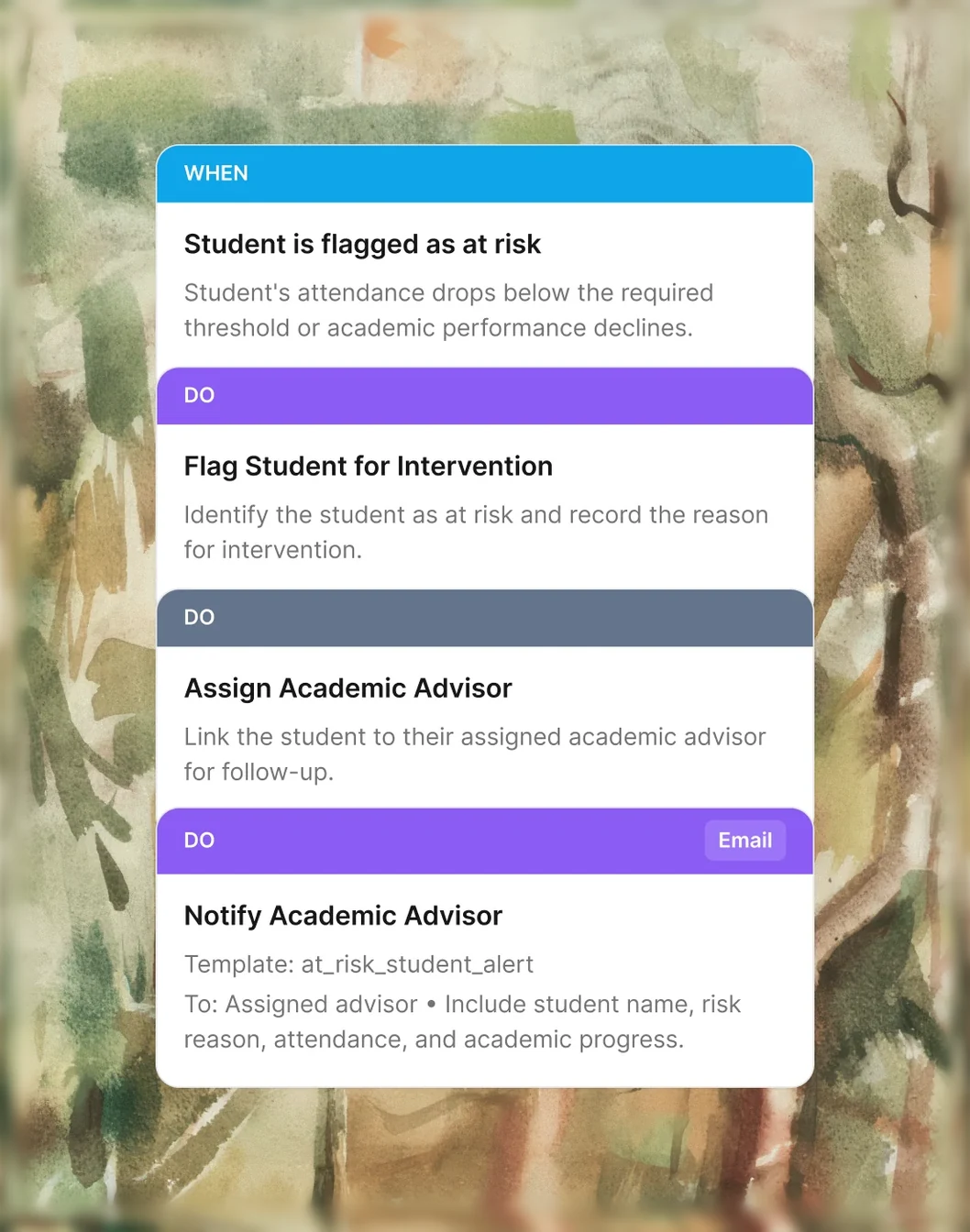
Turn insights into action. Staff build intervention workflows (flag at risk, notify an advisor, book a check-in, review) so the right person steps in at the right time.
Integrates with your favorite tools
Integrate your tools with Classe365 for a unified workflow and its benefits.
 Explore integrations















Classe365 AI & Agent Automation
Agent automation & AI built into your workflow
Use AI to simplify everyday tasks & intelligent agents to automate entire workflows - from communication & approvals to follow-ups & operational tasks.
-
 Agent Automation
Automate repetitive work and keep workflows moving with intelligent agents.
-
Assistive AI
Help your staff work smarter with AI-powered assistance.
Help more students finish
what they start
When attendance dips or grades slide, the signals are already in your records. The AI module brings them together on every student profile, so teachers, advisors and student services see the same picture and act sooner.

Get answers in seconds and create content with AI
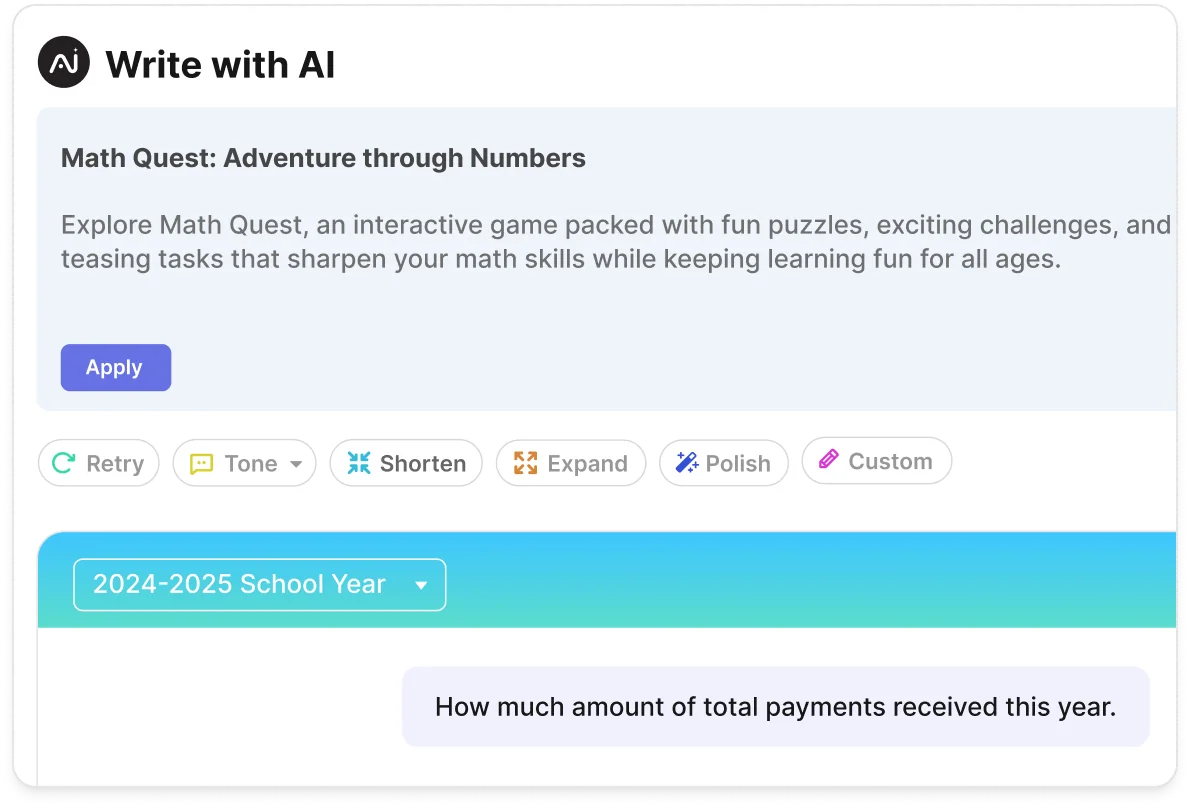
Get instant answers to questions about attendance, invoicing, CRM, and grading. Find actionable insights and navigate directly to relevant pages without generating reports or exporting data. With Write with AI, create content such as Math quiz descriptions from a simple prompt, or polish existing text by expanding it, shortening it, or adjusting its tone. Get answers and create content faster, without waiting on your data team.
Report-card comments in minutes
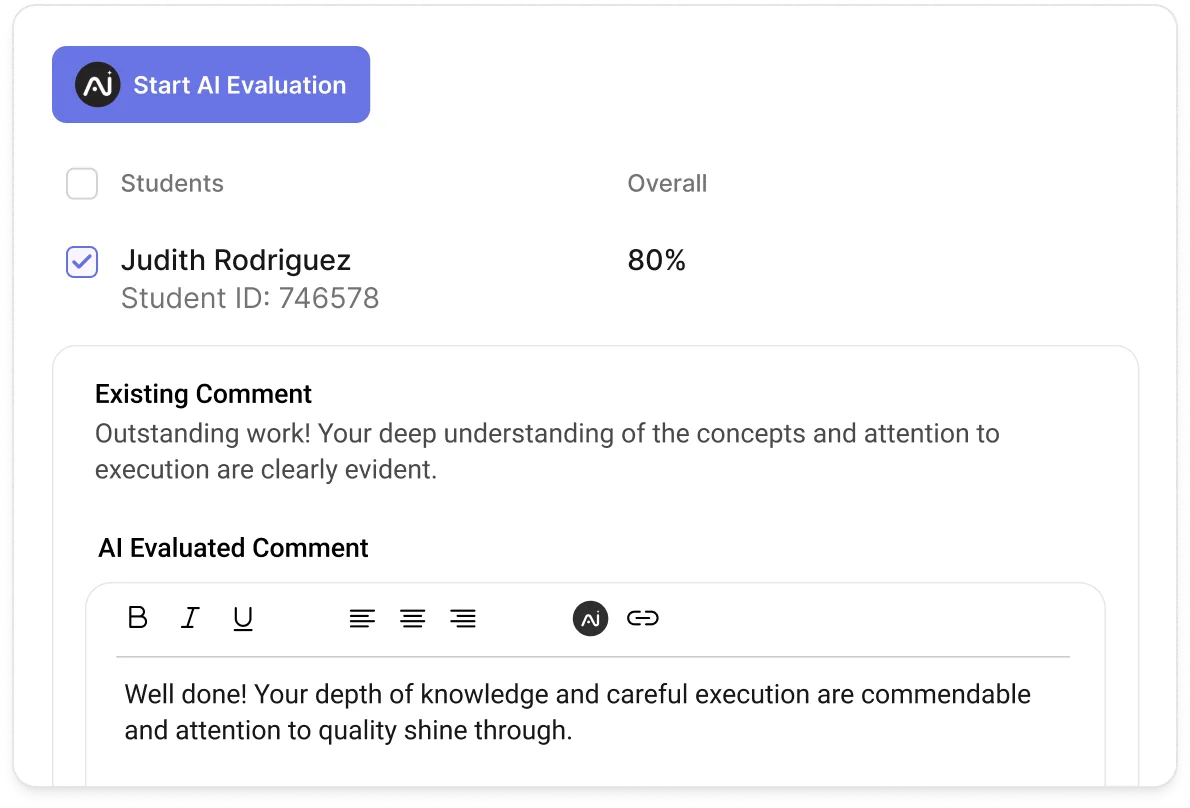
AI Evaluate drafts personalized comments for each student based on their assessment results, academic performance, and learning progress. It automatically copies the generated summary into the Grade Book’s overall comment field, allowing teachers to review, refine, and approve the feedback before it appears in the student’s report card. This saves time on manual writing while helping teachers deliver meaningful, consistent, and student-specific feedback.
Step in before students fall behind
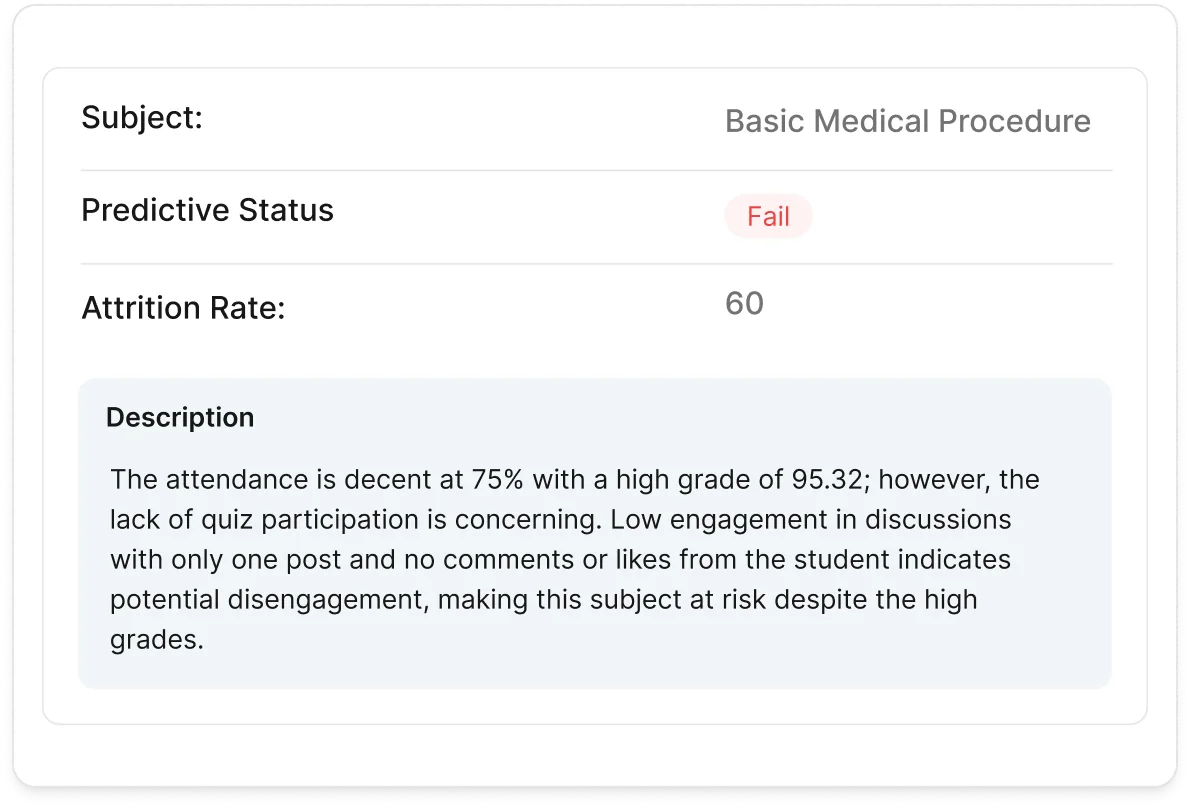
Predictive Analysis identifies students at risk of failing or dropping out before they fall behind. It provides pass or fail predictions and subject-level attrition rates, along with clear explanations of the contributing factors. Pair these insights with intervention workflows to notify advisors, schedule check-ins, and provide timely support, helping more students stay on track toward academic success.
From manual records to
connected insight
How IHS moved from fragmented spreadsheets and manual processes to a more centralised view of student information.
Read more
Sagrie Moodley
Academic System Administrator, International Hotel School

Everything you need in an AI-powered SIS
Explore the AI features that sit across admissions, teaching, assessment and student support.

AI Module Included in Learning & Academics
Assistive AI across your Classe365 modules, with your data kept in your tenant.
- AI assistant for plain-language questions
- Links straight to the right page
- AI comments on report cards
- AI Analytics: academic performance overview
- Write with AI in the text editor (emails, student feedback, CRM form descriptions)
- Answers across CRM forms, students, teachers, attendance, grading, quizzes and invoicing
- AI Evaluate summaries in the grade book
- AI Analytics: attendance patterns
- Predictive analysis with attrition rate
- Custom AI prompts in AI settings
-
Privacy & Security
- Hosted on AWS
- Encryption in transit (TLS) and at rest
- Roles & permissions
- Daily backups, 7-day restore window
- 24-hour breach notification
- Single sign-on with Google Workspace
- Administrative actions logged
- Private cloud on AWS, Azure or Google Cloud Enterprise
-
Mobile Apps & Integrations
- Native mobile Android and iOS apps
- Marketplace with 5000+ integrations with Zapier
- Google and Microsoft Sync
- Microsoft Teams, OneDrive & SharePoint Enterprise
- API access
- Enterprise integrations Enterprise
-
World Class Support
- Free guided setup
- Online help centre Enterprise
- 24/7 support
- Developer centre Enterprise
- Phone support Enterprise
- Implementation program Enterprise
- Change management Enterprise
Enterprise Trust
Built for security. Ready for compliance.
Strengthen institutional security with trusted frameworks, rigorous controls, and compliance-ready practices.




I truly appreciate how Classe365 helps us stay organized and efficient in managing our virtual classes. The ability to keep everything in one place, including student lists, enrollment status, recorded classes, and assignments, significantly simplifies our workflow, making management seamless.

On-demand videos
Explore product walkthroughs, tutorials, and helpful guides to get more from Classe365.


Bring intelligent assistance into everyday education management
Use AI-powered capabilities across supported workflows to reduce repetitive tasks, surface useful insights, and help staff work more efficiently.



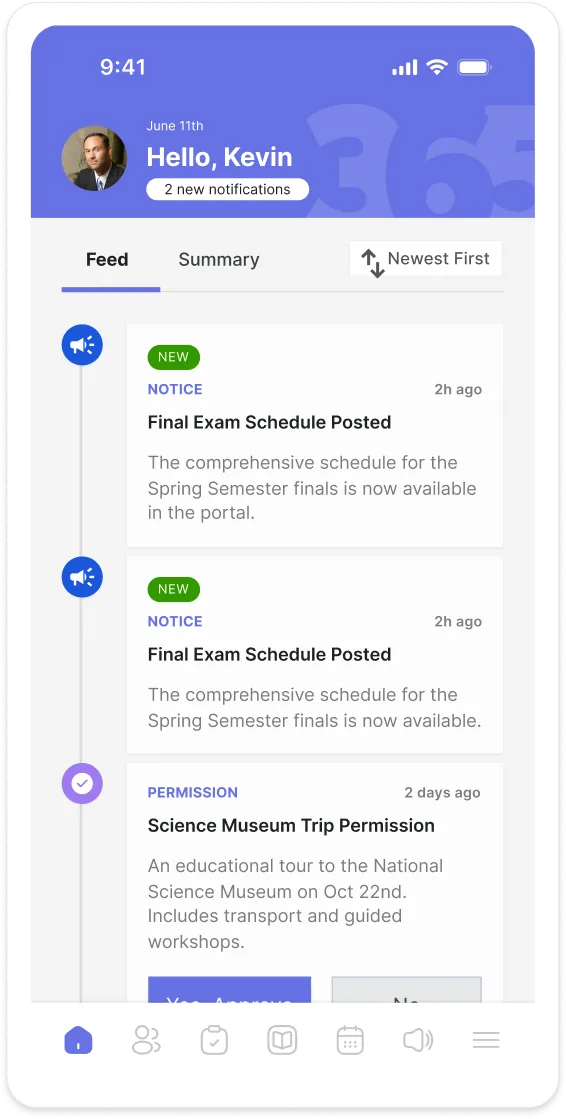
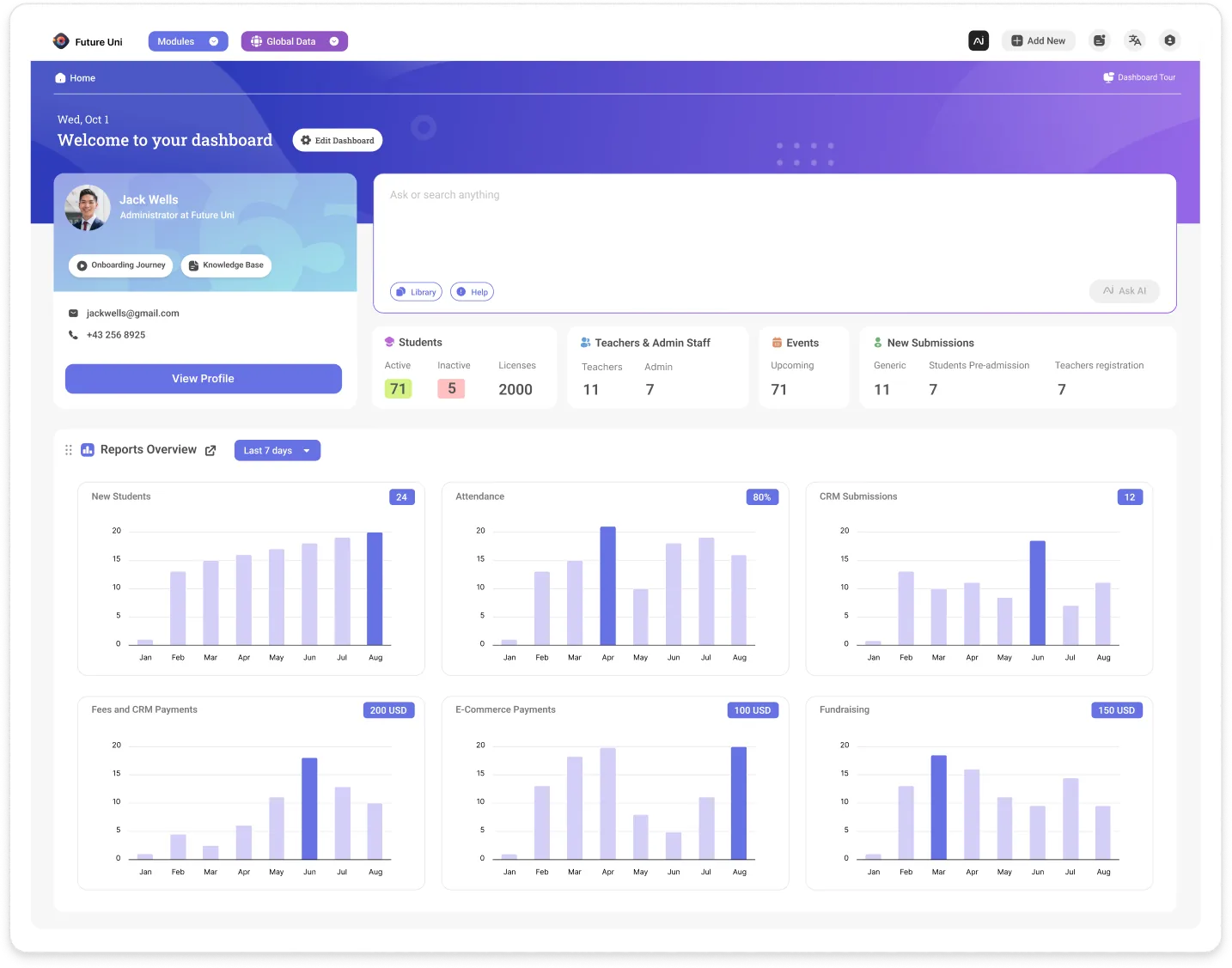
The Classe365 AI module adds assistive AI to the student information system your staff already use, so they can ask questions, create content and spot students at risk without leaving their usual screens. Staff can ask about students, enrolments, attendance or fees in plain language, draft report card comments with AI Evaluate, and see predictive analysis on each student profile.
The AI module is for schools, colleges and universities that want teachers, advisors and student services to work from the same student picture. Teachers can draft comments and create or polish content in the text editor. Advisors and student services can use AI Analytics and intervention workflows to see who may need help and step in sooner.
You can ask plain-language questions about students, enrolments, attendance, fees, CRM forms, teachers, grading, quizzes and invoicing. The assistant answers from your institution's own Classe365 data and can take you straight to the right page, so staff do not have to build a report or export a spreadsheet first. With Write with AI, staff can also create content from a prompt, or expand, shorten or change the tone of existing text, and you can add custom prompts in AI settings.
AI Evaluate drafts a personalised summary comment for each selected student from their assessment results, academic performance and learning progress. The comment is copied into the grade book's overall comment field, ready for the report card. Teachers review, edit and approve it before anything goes home.
AI Analytics on each student profile looks at attendance patterns and academic performance, and predicts a pass or fail in every subject, with an attrition rate and an explanation of the contributing factors. Staff can then use intervention workflows they set up, such as flagging a student at risk, notifying an advisor, booking a check-in and reviewing progress, so the right person steps in at the right time.
No. Classe365 does not use customer, student or candidate data to train, fine-tune or improve any general-purpose or shared AI model. Where a feature learns from data, it learns only from your institution's own data, for your institution. Grading, attendance, attrition and behaviour analysis use small language models hosted in Classe365's own AWS environment.
No. The AI module drafts and predicts, and staff decide. Teachers review, edit and approve AI Evaluate comments before they are used, and AI Analytics gives predictions with the factors behind them, so advisors and teachers choose whether and how to intervene.
Pricing for the AI module is on the Classe365 pricing page, and the team can confirm what applies to your plan, including any usage charges, on a demo call. The Classe365 14-day free trial needs no credit card. An online help centre covers the AI assistant, AI Analytics, custom prompts and AI Evaluate.