



Running an educational institution means managing a long list of tasks at once. Admissions, attendance, grading, fee collection, parent communication, and course delivery all demand attention. When each lives in a separate tool, staff spend hours on data entry and error correction instead of supporting students.
School management software brings these workflows into a single system. Admissions connect to student records. Fees link to finance reports. Teachers access the same platform as admins and parents. The result is less manual work and a clearer picture of how the institution is running.
Dozens of school management systems are available today. The best choice depends on your institution type, team size, the features you need on day one, and how the platform scales as you grow. Here are seven of the best options available in 2026, covering key features, what users say about each, and which institution types each suits.
| Insight
According to the National Center for Education Statistics (NCES), 88% of U.S. public schools had a 1-to-1 computing program during the 2024–25 school year, providing every student with a school-issued device such as a laptop or tablet. |
The 7 Best School Management Software
- Classe365: An all-in-one student management system covering SIS, LMS, CRM, fee management, and admissions in a single platform for schools, academies, and universities.
- PowerSchool SIS: A large-scale student information system widely used by K-12 public districts for student data management and state reporting.
- Gradelink: A focused SIS software built specifically for small private and faith-based schools that want an easy-to-manage system.
- Alma SIS: A modern cloud-based school administration software designed for K-12 schools that need clean, accessible student data tools.
- QuickSchools: A lightweight, cloud-based school management software suited for smaller institutions that want core features without complexity.
- Classter: A modular school management system designed for international schools, training centers, and academies needing flexible program management.
- Infinite Campus: A comprehensive web-based SIS software used by large public school districts across the United States for district-wide data management.
Now let us look at each platform in detail, including key features, what users say, and what to consider before choosing.
1. Classe365
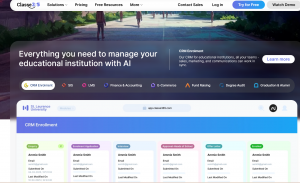
Classe365 is an all-in-one school management software for schools, academies, and universities. It is used in more than 130 countries. The platform combines a student information system, an LMS, a CRM and admissions module, fee management, and finance tools into one plan. Teams get one login and one data set. No five separate tools needed.
Admissions data flows into student records. Fee invoices link to student profiles. Course activity connects to the gradebook. Setup takes weeks, not months. Most schools describe it as the only tool they need to run their whole operation.
Key Features
- Full student information system with student profiles, enrollment history, attendance, and gradebook
- Built-in LMS for online and blended course delivery, assignments, and assessments
- CRM and admissions pipeline to track leads and automate follow-up from inquiry to enrollment
- Automated fee invoicing, online payment collection, and financial reporting
- Parent and student portals with real-time access to grades, attendance, and fee statements
- Academy management module with support for rolling enrollment and program-based billing
- FERPA-compliant data handling with role-based access control
Pros
- One platform covers the full student lifecycle from inquiry to alumni
- Suitable for schools, universities, and academies on the same system
- Transparent, per-student pricing with no hidden module fees
- Quick to set up, with onboarding support from a dedicated team
Cons
- Fewer native integrations with third-party tools than some larger enterprise platforms
- AI features are still expanding and newer than those in more established tools
- Limited reviews on G2 compared to larger, US-focused competitors
G2 Review: Rated 4.3 out of 5 on G2, with users noting strong all-round usability and responsive support. On Capterra, the platform holds a 4.8 rating across 165 reviews, with reviewers highlighting ease of use and the breadth of features included in a single subscription.
Pricing: Starts at $100 per month for up to 100 students. Visit the Classe365 pricing page for the full breakdown by institution size.
2. PowerSchool SIS
PowerSchool SIS is one of the most widely used student information systems in North America. It is built for K-12 districts. Schools get deep reporting, roster management, and a broad set of integrations.
Large public districts with IT teams and state compliance needs will find it a strong fit. Smaller schools looking for LMS, fee management, and admissions in one place may need a different tool.
Key Features
- Centralized student data management and attendance tracking
- Standards-based grading and customizable report cards
- State compliance reporting and roster management
- Parent and student portal for grade and schedule visibility
Pros
- Deep K-12 feature set with a long track record in public education
- Strong API and integration layer for district tech stacks
- Broad user community and training resources
Cons
- Complex setup and a steep learning curve for new users
- Pricing is custom and typically suited to district-level budgets
- Interface feels dated compared to newer cloud-native platforms
G2 Review: Rated 4.2 out of 5 on G2 across 742 reviews, with users citing strong reporting tools and robust student data management, alongside notes about the learning curve and interface complexity.
Pricing: Custom pricing based on district size and product configuration. Contact PowerSchool directly for a quote. Schools looking for a simpler alternative can explore Classe365 vs PowerSchool.
3. Gradelink
Gradelink is a SIS software built for small private and faith-based schools. It focuses on student records, attendance, grading, and parent communication. Most schools report setup times of a single afternoon.
It is a strong match for schools that want a clean, focused system. It is less suited to schools that also need a built-in LMS or admissions CRM.
Key Features
- Student records, attendance, and grade tracking
- Report card generation with support for custom formats
- Parent and student portal for grades and communication
- Enrollment management tools
- Integration with popular accounting tools
Pros
- Very fast to set up, often within hours
- High user satisfaction among small private and faith-based schools
- Affordable entry pricing with a free trial
Cons
- Does not include a built-in LMS or admissions CRM
- Fewer features for academies or institutions with rolling enrollment
- Less depth in analytics and reporting compared to larger platforms
G2 Review: Rated 4.7 out of 5 on G2 across 228 reviews, with users consistently highlighting ease of use, fast setup, and quality customer support for small school operations.
Pricing: Starts at $121 per month for up to 50 enrolled students. Schools comparing Gradelink with a more complete platform can review Classe365 vs Gradelink.
4. Alma SIS
Alma SIS is a cloud-based school administration software for K-12 schools. It covers student records, attendance, grading, and scheduling. Educators tend to pick it up quickly.
It is a good option for schools replacing older SIS tools. Schools that also need fee management, LMS, or admissions CRM may need extra tools alongside it.
Key Features
- Student records, attendance, and grading in a modern cloud interface
- Standards-based and traditional grading support
- Scheduling and timetable management
- Communication tools for families and staff
- Integration with learning tools and third-party apps
Pros
- Clean, modern interface that educators adopt quickly
- Designed from the ground up with teachers in mind
- Good fit for K-12 schools replacing older legacy SIS platforms
Cons
- No native fee management or admissions CRM module
- Reporting customization is more limited than enterprise options
- Smaller review base on G2 compared to longer-established tools
G2 Review: Rated 4.2 out of 5 on G2 across 63 reviews, with users noting a clean and usable interface and quality onboarding support.
Pricing: Custom pricing. Contact Alma directly for a quote based on your school size.
5. QuickSchools
QuickSchools is a cloud-based school management software for smaller schools. It covers student records, attendance, grading, and basic communication tools. There is no enterprise overhead.
It works well for small schools and tutoring centers. It is less suited to schools that need a built-in LMS or admissions module in the same system.
Key Features
- Student records and attendance management
- Online gradebook with parent and student access
- Billing and fee management tools
- Course and class scheduling
- Communication tools for parents and staff
Pros
- Very affordable per-student pricing
- Easy to set up and use for small teams
- Core features cover most day-to-day school admin tasks
Cons
- Limited analytics and reporting depth
- No native LMS or admissions CRM module
- Fewer integrations with third-party tools compared to larger platforms
G2 Review: Rated 4.5 out of 5 on G2 across 88 reviews, with users praising the straightforward interface, responsive support, and low cost for small schools.
Pricing: Starts at $0.99 per student per month, making it one of the most affordable options in the market for very small institutions.
6. Classter
Classter is a modular school management system and academy management software used by international schools and training centers. It covers student records, admissions, billing, and LMS tools. Schools select only the modules they need.
It suits training centers and schools with non-standard program structures. Smaller schools that want a quick, simple setup may find it more complex than needed.
Key Features
- Modular SIS, LMS, admissions, and billing modules
- Support for multiple curricula and program types
- CRM and enrollment management tools
- Parent and student portals
- API-based integrations with third-party tools
Pros
- Highly configurable to fit non-standard program structures
- Covers admissions, LMS, and finance in addition to core SIS
Cons
- More complex to set up than simpler cloud tools
- Interface can feel overwhelming for smaller, single-site institutions
- Pricing requires a custom quote based on modules selected
G2 Review: Rated 4.5 out of 5 on Capterra across multiple verified reviews, with users highlighting the breadth of modules and the platform’s flexibility for varied institution types.
Pricing: Reported at $2 to $15 per student per month depending on modules selected. Contact Classter directly for a full quote.
7. Infinite Campus

Infinite Campus is a web-based SIS software used across public school districts in the US. It handles student records, attendance, scheduling, grades, and state reporting at district scale.
Large public districts with state reporting needs will find it a reliable option. Private schools, academies, or smaller institutions that need fee management or LMS may not get what they need from it.
Key Features
- District-wide student data management and attendance
- Scheduling, grading, and report card generation
- State compliance and federal reporting support
- Family portal for grades and schedules
- Integrations with district-level tools and third-party apps
Pros
- Mature platform with a long track record in US public education
- Strong state reporting and compliance tools
- Reliable performance at very large scale
Cons
- Interface feels complex and dated for many users
- Limited support for fee management, LMS, or admissions workflows
- More suited to large public districts than private schools or academies
G2 Review: Rated 3.7 out of 5 on G2 across 203 reviews, with users noting strong compliance and reporting tools alongside concerns about interface complexity and navigation difficulty.
Pricing: Custom pricing for school districts. Contact Infinite Campus directly for a quote.
Quick Overview: 7 Best School Management Software
| Tool | Best For | Starting Price |
| Classe365 | All-in-one platform for schools, academies, and universities | $100/month (up to 100 students) |
| PowerSchool SIS | Large K-12 public school districts | Custom pricing |
| Gradelink | Small private and faith-based schools | $121/month (up to 50 students) |
| Alma SIS | Modern K-12 schools replacing legacy SIS | Custom pricing |
| QuickSchools | Small schools needing affordable core features | From $0.99/student/month |
| Classter | International schools and multi-program training centers | $2 to $15/student/month |
| Infinite Campus | Large US public school districts | Custom pricing |
What to Check Before You Choose
Before you commit to a school management software platform, run it against your actual needs.
- Check what is included: Some platforms cover SIS, LMS, fees, and CRM in one plan. Others charge per module. Calculate the full cost first. The Classe365 ROI calculator can help you model cost versus savings.
- Match the platform to your institution type: A public district has very different needs from a private academy or training center. If you run an academy, check for program-based billing and rolling enrollment support before you commit.
- Confirm setup time: Enterprise platforms can take months. If your term starts soon, look for a platform that goes live in weeks for teams your size.
- Verify data security and compliance: Student data needs FERPA compliance in the US and GDPR for schools with international students. Confirm certifications and ask for a Data Processing Agreement.
- Check integrations: Make sure the platform connects to tools you already use. Ask whether API access is included or needs a higher plan.
Conclusion
The best school management software matches how your institution actually runs. Platforms like Infinite Campus and PowerSchool SIS suit large public districts with dedicated IT teams and strict state reporting needs. Gradelink and QuickSchools work well for small private schools that need core features at a low cost. Classter suits international schools and training centers with complex, multi-program structures.
For schools, academies, and universities that want a single system covering admissions, student information system, LMS, fee management, and communication, Classe365 offers one of the most complete all-in-one platforms available. It is built to work for institutions of different types and sizes without requiring a separate tool for every function.
If you want to see how it compares to your current setup, explore how schools use Classe365 and how academies use Classe365 before taking a closer look. When you are ready, you can request a demo to walk through your specific workflows with the team.
FAQs
What is school management software?
School management software is a platform that centralizes the admin and academic tasks an educational institution handles daily. It typically covers student records, attendance, grades, fee collection, parent communication, and enrollment. Advanced platforms also include a learning management system, admissions CRM, and finance tools in the same subscription.
What is the best school management software for small private schools?
For small private schools, Gradelink is one of the highest-rated options for its ease of use and fast setup. Classe365 is a strong choice when the school also wants built-in LMS, admissions management, and fee collection without paying for separate tools. QuickSchools is worth considering for very small institutions with a tight budget.
What is the difference between an SIS and a school management system?
A student information system (SIS) is the database layer of a school’s tech stack. It holds student records, enrollment history, attendance logs, and academic data. A school management system is broader. It includes the SIS layer plus operational tools like fee management, parent communication, admissions, and in some cases an LMS. Many modern platforms bundle both under the same subscription.
How much does school management software cost?
Pricing varies widely. Entry-level options like QuickSchools start at under one dollar per student per month. Classe365 starts at $100 per month for up to 100 students. Enterprise tools like PowerSchool, Alma, and Infinite Campus use custom pricing based on district or institution size. Always calculate the total cost including all required modules before comparing platforms.
Can the same school management software work for a school and an academy?
Yes, if the platform is built with both in mind. Schools typically need fixed annual enrollment, a standard academic calendar, and report cards tied to a curriculum. Academies often need rolling enrollment, program-based billing, and certificate management. Classe365 is designed to support both models in the same system without requiring a separate product for each use case.