




Which features does a K-12 school need in school management software? The base requirement is a student information system with grading, attendance, health records, and parent communication. Admissions, a learning management system, fee collection, accounting, task management, and fundraising extend that base.
Classe365 organizes these features into eight module groups. The Core plan costs $100 per month for 1 to 100 students. Each add-on module costs $75 per month. Annual billing saves 10%. Pricing was checked on October 15, 2026.
This guide lists the features of each module and the plan that includes it. It is written for independent K-12 schools, which the National Center for Education Statistics counted at 30,492 schools in 2019 to 2020. For vendor comparisons, see our ranking of K-12 school management software.
In this guide
- Core and add-on modules
- Marketing and Admissions
- Student Information System
- Learning Management System
- Schedules and Communication
- Finance and Accounting
- People and Productivity
- Administration
- Free trial and demo
Marketing and Admissions Features in School Management Software
CRM, Enroll and Forms
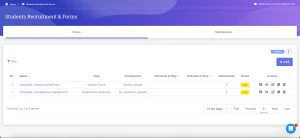
- Form types: admission, enrollment, re-enrollment, teacher registration, feedback, evaluation, and contact forms.
- Form builder: drag-and-drop fields, including document upload, signature, ratings, opinion scales, and net promoter score. Conditional logic shows a field only when an earlier answer requires it.
- Access: public forms use a keyword in the URL. Private forms require a student, parent, or admin login.
- Map to SIS: form fields map to student fields, and enrollment transfers the data without re-entry.
- Workflows: color-coded statuses, such as Pending, Interview done, and Enrolled, each with an optional email. Fees from Fee & Invoicing attach to the application. Link two forms, such as an inquiry form and an application form.
- Submission views: grid, list, and Kanban. Each application holds notes, attachments, meetings, linked submissions, fees, and tasks.
- Enroll step: the applicant’s chosen course is prefilled, a student ID is assigned automatically, and a login invitation can go to the student or parent email. The original submission stays on the student record.
- Status check: applicants enter their submission ID to receive their status by email.
The CRM module page covers the admissions workflow in more detail.
E-Commerce
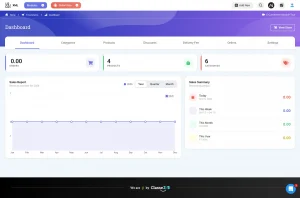
- Products: uniforms, books, learning materials, courses, programs, events, and after-school activities.
- Product types: physical products with stock management, class enrollment, subject enrollment, and external links.
- Enrollment products: the student is enrolled in the class or subject automatically after purchase.
- Catalog: multi-level categories, discounts applied to one or several products, and delivery fees for physical items.
- Orders: status tracking, incomplete payment visibility, and data export.
- Storefront: logo, headers, and banners are editable. Courses and products have separate pages and filters.
- Payments: enable multiple payment gateway integrations.
See the E-Commerce module page for the full feature list.
Fundraising
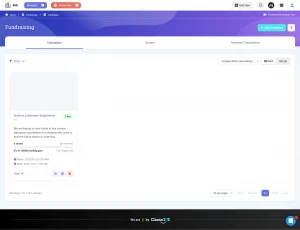
- Campaigns: title, description, image or video, FAQs, and a donor list.
- Payments: online donations through Stripe, or manual payments recorded by an administrator.
- Invoices: every donation generates a printable invoice showing the transaction, campaign, and donor.
- Public page: donation summary, donor display, and time left before the campaign closes. Social sharing is available.
The Fundraising module page lists additional options.
Student Information System Features for K-12 Schools
The student information system holds the academic structure, student and staff records, grading, and attendance.
Class and Subjects
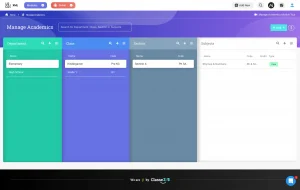
- Hierarchy: Department, Class, Section, Subject. K-12 schools map Class to grade level, Section to a house or group, and Department to a campus.
- Terminology: labels such as Class and Subject can be renamed in Organization Settings.
- Subject enrollment types: Core subjects enroll students automatically. Students choose electives or an administrator assigns them. Flexi core subjects enroll students automatically and accept students from other classes.
- Subject details: credit hours, description, course price, and custom fields.
Students
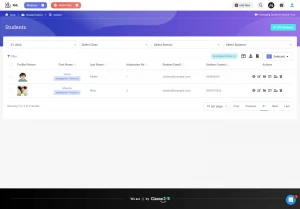
- Student list: filters by field or cohort. Bulk actions include SMS, email, WhatsApp, portal login invitations, ID cards, badges, and invoices.
- Student fields: custom fields built by drag and drop. You can set each field as visible or editable for students and parents.
- 360-degree profile: enrollment history by academic session, activity log, attendance, report cards, fees, health records, form submissions, and tasks.
- Health records: allergies, medication history, immunization history, incidents, and routine checks. Allergies appear as profile alerts automatically.
- ID cards: printable cards with QR codes or barcodes.
- Account control: staff can block a student from the portal.
- Adding students: CRM enrollment, manual entry, Excel import with column matching, or purchase of a course through E-Commerce.
Teachers and Admin Staff
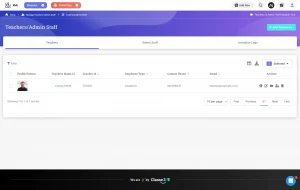
- Teacher profile: custom fields, subjects taught, class schedule, and assigned tasks.
- Subject allocation: multiple teachers per subject, plus a secondary teacher.
- Admin roles: super admins have full access. Sub admins receive read, write, and delete rights per module.
- Bulk actions: email, SMS, and subject allocation from the teacher list.
- Setup: manual entry or Excel import.
Assessment and Grading
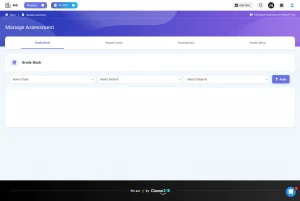
- Assessment categories: quizzes, exams, homework, projects, or custom categories.
- Grading scales: grades, rubrics, percentage, actual points, and manual entry. The grade scale supports a GPA calculation on a 4, 6, 7, or other scale.
- Weights and periods: subject weights, passing scores, and semester or term periods with their own weights.
- Assessments: each has a category, passing point, grading scale, publish status, and an option to count toward the overall score. Teachers add assessments only to the subjects they teach.
- Online submissions: deadlines and notifications to selected staff.
- Rubric grading: a grid scores each learning objective.
- Continuous and comprehensive evaluation: subjects divide into subcategories, such as fractions and long division within Maths.
- Exams and quizzes: exams are assessments with their own passing point. LMS quizzes link to an assessment and post results to the grade book.
- Report cards: preset or blank templates, applied to selected cohorts. Variables pull in student fields, attendance and scores. Settings control parent visibility, printing, and consolidated multi term cards.
- AI evaluation (AI add on): drafts a comment on strengths, weaknesses, and overall performance, which teachers edit before it appears on the report card.
Attendance
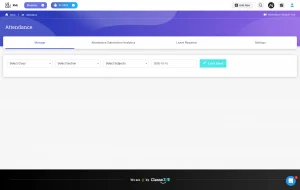
- Statuses: any number of statuses, each with a short code and color. Each status carries a weight, such as late counting as 50% present and 50% absent.
- Modes: daily, by subject or by session.
- Entry: the class list opens with all students marked present. Teachers change exceptions and submit.
- Notifications: students and parents receive email, SMS or WhatsApp messages on submit.
- ID card scan: teachers scan the QR code or barcode on a student ID card with the Classe365 mobile app.
- Reporting: attendance appears on the student profile and in the report card attendance table.
- AI add on: attendance pattern summaries per student and per subject.
The U.S. Department of Education defines chronic absenteeism as missing at least 10% of school days, about 18 days a year. It reported about 28% of students chronically absent in 2022 to 2023.
Learning Management System Features for School Management Software
LMS
- Access: administrators see all subjects. Teachers see their own subjects. Students see enrolled subjects.
- Curriculum builder: sections and lectures per subject. Content types are video, audio, PDF, PowerPoint, SCORM, LTI, Google Drive files and quizzes. Content opens in the browser.
- Activity tracking: time spent and completion status, with completion rules such as 10 minutes of video viewing.
- Reuse: sections or full curricula copy to other subjects.
- Discussions: teachers broadcast messages, and students reply with comments and likes.
- Quizzes: seven question types (multiple choice, checkbox, true or false, fill in the blanks, essay, matching, document upload), negative marking, randomization, retakes, availability dates and timed result release.
- Gamification: games with levels and points. Students earn badges automatically.
- Live lectures: Zoom, Microsoft Teams and Google Meet meetings launch from the LMS.
- Analytics: top and bottom performers, score distribution and score range charts.
The learning management system page covers the module in full.
Social Learning
- Students share article links, video links and files.
- Posts go to selected students or to a group.
- A Like button is available.
Schedules and Communication Features
Class Scheduling
- Templates: working days, week start and breaks.
- Resources: rooms and locations, with a conflict check.
- Categories: Class Schedule for subjects, General Schedule for other activities such as prayer or yoga.
- Entry methods: drag and drop, form entry with resources and descriptions, or Excel upload.
Events Calendar
- Administrators create events and share them with students, parents and teachers.
- Google Calendar sync runs in both directions once Google Workspace is integrated.
- Event visibility is configurable for users.
SMS and Email
- Messages go to recipients selected by user type or by class and section.
- Staff can also send from a filtered student list.
- SMS and email templates accept data variables.
Notice Board
- Notices carry a title, description and images.
- An email notification can accompany each notice.
- Notices can be restricted to authorized users.
Finance and Accounting Features: Fees and Invoicing
Fees and Invoicing
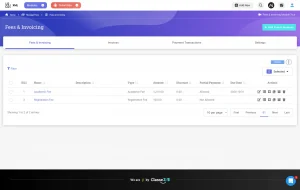
- Fee categories: reusable templates with invoice date, due date, line items, rate, quantity and tax.
- Discounts: a negative line item, such as a scholarship, or a percentage off the full invoice.
- Invoicing targets: a full cohort, all students in a subject, or selected students.
- Payment plans: partial payments, recurring invoices for up to 12 months, credit balances and multiple currencies.
- Collection: unpaid invoice filters, email reminders, and export to Excel or CSV with custom student fields.
- Manual payments: cash and check payments record the check number, date, and receipt.
- Virtual terminal: card payments at the office through a connected gateway.
- Portal payments: students and parents pay from their portals.
- Refunds: full or partial refunds with a reason and notification.
- Student profile: invoice summary, downloadable statement, and credit balance.
- Accounting link: invoices post as debit or credit entries through the Finance and Accounting add-on. QuickBooks syncs to the chart of accounts. Xero uses manual CSV import. The Fee & Invoicing module page lists more options.
People and Productivity Features: Task Management
Manage Tasks
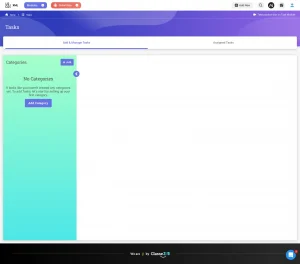
- Task categories: each category works as a project with a manager (admin or teacher), assignees and permissions.
- Workflow: stages per category, with an email notification at each stage.
- Task fields: standard and custom fields.
- Task types: to do, follow up call, follow up message and others, with status and priority.
- Views: overview, list and a drag and drop board by stage.
- Assigned tasks: each user sees and filters their own list.
- Connections: tasks attach to CRM applications and appear on student and teacher profiles.
Administration Features in School Management Software
Reports
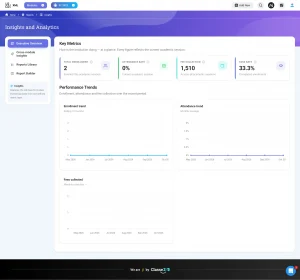
- Reports run by academic session in eight categories: Academics, Attendance, Messaging, Class Schedule, Fees, Health Records, Assessment and Library.
- Admins can generate reports for individual students.
Organization Settings
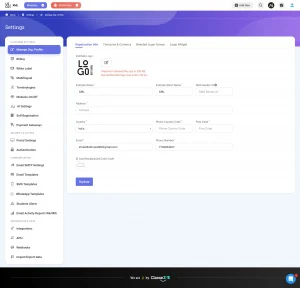
- Organization info: logo, name, address, country, phone, notification email, time zone, date and time format, currency.
- Time zones: one global time zone, and users can set their own.
- Login: branded login screen with a background image or video, and an embeddable login widget for the school website.
- Data tools: import and export, templates and terminology settings.
Integrations
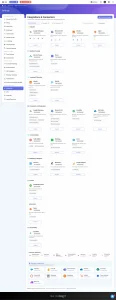
- Classe365 documents 22 integrations. K-12 schools commonly use Clever, Google Classroom, Google Workspace, Microsoft 365, Zoom, QuickBooks, Xero, Stripe, PayPal, Authorize.net, WhatsApp and Twilio.
Compliance
- Packs: pre-built compliance packs for Australia, the UK, the US, Canada and IB reporting. Direct API submission is available where the regulator supports it. Other regulators use file upload.
- Frameworks and pathways: frameworks cover reporting for accredited institutions. Pathways list the steps toward accreditation, with document upload.
- Field mapping: each required field maps to a student field manually or through AI mapping, which creates missing fields automatically.
- Workspace: data completeness percentage, critical issues and validation before submission.
- Privacy: the U.S. Department of Education explains that FERPA rights transfer from parents to students at 18. Classe365 publishes a FERPA compliance statement.
Which Modules Are Core and Which Are Add Ons in Classe365 School Management Software?
Module names follow the pricing page.
| Plan | Modules |
| Core, $100 per month for 1 to 100 students | Academics, Students & Parents, Teacher & Administrators, Assessment/Grade Book & Transcript, Health Records, Messaging & Communication, Social Learning, Administration, Reporting & Analytics, Apps |
| Add ons, $75 per month each | CRM-Enrol & Forms (up to 2,000 submissions), LMS, Fee & Invoicing, Finance and Accounting, E-Commerce Store, Fund Raising, Task, AI Module (plus a usage charge) |
Free Trial and Demo for Classe365 School Management Software
Classe365 offers a 15 day free trial with access to all modules and no credit card. Book a demo to see these modules with sample data. For a feature list across school types, see our guide to 20 school management software features.
FAQ’s
What happens if grading weights change after teachers start entering scores?
The system shows how many subjects the change affects. One click recalculates all scores. Grading periods are different. Once scores exist, the periods cannot change.
Can a family be invoiced before enrollment is final?
Yes. Applicants who are still in the CRM module can be invoiced.
What happens when a class reaches its student limit?
A cap can be set per class. Applicants above the cap are waitlisted automatically through the admissions module.
Can an application form be embedded on the school website with online payment?
Yes. Forms provide embed code. On an embedded form, only Stripe and Authorize.net work for online payment.
Which name appears on SMS messages?
The organization short name can act as the SMS sender ID. Classe365 recommends 11 characters or fewer.
Who can see private notes on a student?
Only teachers and admin staff. Students and parents cannot see them.
How far ahead does the events calendar display?
Classe365 shows six months of the calendar at a time. Later events appear as time moves forward. Two way sync needs the Import and Export option and a connected Google Workspace.
Does Classe365 charge a setup fee?
No. Onboarding and data migration are available for a fee. Virtual setup starts at $2 per student, and on site setup is $1,500 per day. The AI Module adds a usage charge to its $75 monthly fee.