




Online gradebook software is a centralized, cloud-based system where teachers enter grades, track attendance, generate report cards, and share progress with parents. The right teacher gradebook software saves hours of manual work each week and eliminates the version control problems that come with managing grades across disconnected files.
In this post, we compare five online gradebook platforms side by side. We cover what each one does best, key features, G2 ratings where available, honest pros and cons, and pricing.
| Platform | Best For | G2 Rating | Free Trial | Starting Price |
| Classe365 | Gradebook plus SIS, LMS, CRM in one platform | 4.3/5 | 15 days | $100/mo (1 to 100 students) |
| Gradelink | Small private schools wanting simplicity | 4.7/5 | Yes | $121/mo (50 students) |
| PowerSchool SIS | Large districts needing enterprise scale | 4.2/5 | Contact vendor | Quote based, ~$10,000/yr |
| JumpRope | Standards based grading | Not rated on G2 | Free classroom plan | Per student, custom quote |
| Google Classroom | Free gradebook for Google schools | 4.6/5 | Free | Free |
-
Classe365: Best Online Gradebook Software for Schools That Want Everything in One Platform

Classe365 is a unified education platform that combines a student information system, learning management system, CRM, and fee management alongside its Assessment and Grading Module.
The gradebook supports percentage, letter grade, rubric, and manual entry scales, so a school running multiple grading approaches across different grade levels does not need two separate systems.
Teachers create weighted assessment categories, and the module calculates overall scores automatically. Administrators can lock assessments once grades are captured to prevent accidental edits, and the gradebook ties directly to report card generation and transcript records.
What sets Classe365 apart from standalone gradebook tools is that a grade entered in the system automatically updates the student’s SIS profile, report card, GPA calculation, and parent portal view without re-entering data across modules.
See our Digital Gradebook vs Spreadsheet Grading comparison and the GPA calculation software guide for more on how this works operationally.
Key Features
- Flexible grading scales: percentage, letter grade, rubric, and manual entry.
- Weighted assessment categories with automatic overall score calculation.
- Lock assessments to prevent unauthorized grade changes.
- Report card and transcript generation from the same gradebook data.
- Parent and student portal access to view grades in real time.
- Integrated attendance, fee management, and CRM in the same platform.
G2 Rating
4.3 out of 5. Reviewers consistently highlight ease of use and responsive support.
Why It Stands Out
Classe365 bundles a full SIS, LMS, CRM, and finance module alongside the gradebook. For schools tired of managing grades in one system, attendance in another, and billing in a third, this consolidation is the core value.
Pros
- Gradebook connects directly to SIS records, report cards, and parent portal.
- Supports multiple grading scales in one system.
- Includes fee management and CRM that most gradebook tools lack.
- Responsive customer support with personalized onboarding.
Pricing
15 day free trial. Plans start at $100/month for 1 to 100 students, scaling to $800/month for up to 2,000 students. Add on modules available at $75 each. View current pricing.
Learn More About Classe365
-
Gradelink: Best Teacher Gradebook Software for Small Private Schools
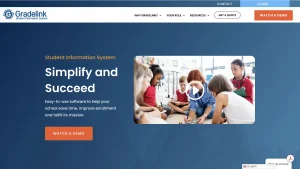
Gradelink is an internet based school management system built primarily for small to mid size private schools, charter schools, and faith based institutions. Its gradebook is the centerpiece: teachers customize grade scales, configure assessment categories, and generate report cards within a clean, straightforward interface that does not require IT support to set up.
Gradelink integrates with Google Classroom, PaySimple for tuition billing, and Renaissance for assessment data. The parent portal lets families view grades, assignments, and upcoming homework at any time.
Key Features
- Customizable grade scales and assessment categories.
- Report card generation with school branding.
- Parent and student portal for real time grade visibility.
- Google Classroom and PaySimple integrations.
- Attendance tracking and enrollment management alongside grading.
- Lesson plan tools connected to gradebook assignments.
Pros
- Highest G2 rating among the five platforms reviewed here
- Unlimited phone and email support included at no extra cost
- Quick setup handled by Gradelink’s support team
- Strong fit for schools under 500 students
Cons
- Limited customization compared to enterprise platforms
- Email and messaging features could be more robust
- Not built for large districts or multi campus networks
Pricing
Free trial available. Starts at $121/month for up to 50 enrolled students, with tiered pricing for larger schools.
-
PowerSchool SIS: Best Grading Software for Teachers in Large Districts
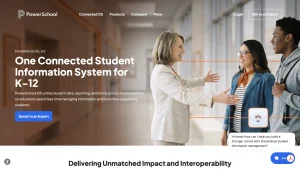
PowerSchool SIS is the most widely adopted student information system in U.S. K-12 education, serving millions of students across thousands of districts. Its gradebook, PowerTeacher Pro, lets teachers enter grades, sync with Canvas or Schoology, and manage assignments within the broader PowerSchool ecosystem.
PowerSchool’s scale is its primary advantage. It integrates with nearly every major LMS, assessment tool, and state reporting system. For districts needing a single platform for grading, attendance, scheduling, state compliance, and special education tracking, PowerSchool covers the full scope. For a direct comparison, see our PowerSchool alternative page.
Key Features
- PowerTeacher Pro gradebook with standards and traditional grading.
- Integration with Canvas, Schoology, and other major LMS platforms.
- State compliance and regulatory reporting built in.
- Parent and student portal for grade and attendance visibility.
- Scheduling, special education, and assessment modules.
- API for custom integrations and bulk data operations.
Pros
- Deepest integration with state reporting and compliance requirements
- Largest ecosystem of third party integrations
- Handles multi campus, multi district scale
- Built in standards based and traditional grading options
Cons
- Quote based pricing with high minimums makes it impractical for small schools
- UI feels dated compared to newer platforms
- Training and implementation can be expensive and time consuming
- Occasional performance slowdowns during peak usage
Pricing
Contact vendor for a quote. Base packages start at approximately $10,000 annually for small districts, scaling based on modules and student count.
-
JumpRope: Best Online Gradebook for Teachers Using Standards Based Grading
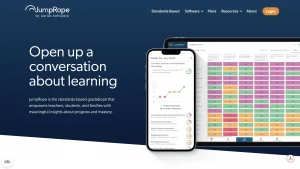
JumpRope is the only gradebook on this list that is 100 percent focused on standards based grading. Instead of calculating averages from assignment scores, JumpRope tracks student mastery of specific learning standards, making it a strong fit for schools that have moved toward competency based models.
Teachers map assignments to standards, record scores against those standards, and JumpRope applies configurable calculation methods to produce mastery levels rather than simple averages. The Family Portal gives parents progress reports organized by standard rather than by assignment. JumpRope was recently acquired by Aeries, a major SIS provider, strengthening its integration story.
Key Features
- Standards based gradebook with mastery tracking
- Configurable calculation methods for proficiency levels
- Family Portal with standards organized progress reports
- Google Classroom integration for assignment syncing
- Descriptive feedback tools aligned to standards
- SIS integration through Aeries partnership
Pros
- Only gradebook on this list built exclusively for standards based grading
- Free classroom plan for individual teachers, no upgrade required
- Recent Aeries acquisition adds SIS integration depth
- Shifts parent conversation from grades to mastery
Cons
- Not a fit for schools using traditional percentage or letter grade systems
- No G2 rating available for independent verification
- Smaller user base than PowerSchool or Gradelink
- Limited features outside the gradebook (no billing, no CRM)
Pricing
Free Classroom plan for individual teachers. School and district plans are per student subscriptions with custom quotes.
-
Google Classroom: Best Free Online Gradebook Software for Budget Constrained Schools
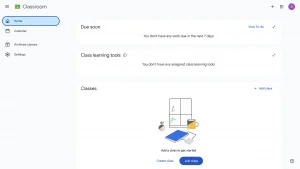
Google Classroom is the most widely used free teacher grading system in U.S. K-12 education. It is not a full SIS or school management platform, but for schools already using Google Workspace, it provides a basic gradebook, assignment management, and parent communication at no cost.
Teachers create assignments, attach rubrics, set point values, and enter grades within each class. The gradebook calculates overall grades based on assignment categories and weights. Students and guardians view grades through the Classroom interface or the mobile app.
Key Features
- Free gradebook with assignment categories and weighted grading
- Assignment creation with rubrics and point values
- Integration with Google Docs, Sheets, Slides, and Forms
- Guardian email summaries for parent communication
- Google Meet integration for virtual instruction
- Mobile apps for iOS and Android
Pros
- Completely free for schools using Google Workspace for Education
- Extremely low learning curve for teachers already in Google
- Largest ecosystem of third party integrations
- Mobile apps keep parents and students connected
Cons
- Not a full SIS: no attendance tracking, billing, or transcript generation
- Limited reporting and analytics compared to purpose built gradebook software
- No standards based grading support
- Grade export options are basic
Pricing
Free with Google Workspace for Education Fundamentals. Standard tier starts at $3/student/year with added security and analytics.
How to Choose the Right Online Gradebook Software
Choosing gradebook software comes down to matching the tool to your school’s size, grading philosophy, and existing tech stack. Use this checklist during evaluation.
Grading scales and calculation
- Supports percentage, letter grade, and GPA scales, not just one format
- Supports rubric based grading if any of your teachers use it
- Supports standards based or mastery grading if your school uses competency models
- Lets you set custom weighted categories per class or subject
Data flow and connections
- Grades sync automatically to report cards without manual re-entry
- Grades update the student’s transcript and GPA calculation in real time
- Connects to the parent and student portal so families see updates immediately
- Integrates with your existing LMS, such as Canvas, Schoology, or Google Classroom
- Ties to attendance records so patterns across grades and absences are visible together
Usability for teachers
- Teachers can enter, edit, and lock grades without IT support
- Mobile access works for grade entry, not just viewing
- Setup and onboarding do not require a lengthy training cycle
- Support team responds quickly when a teacher gets stuck mid grading period
Administration and reporting
- Admins can lock assessments once grades are finalized to prevent unauthorized changes
- Generates report cards and transcripts directly from gradebook data
- Provides usable reporting for department heads or administrators, not just individual teachers
- Handles bulk data operations, like end of term grade exports, without manual work
Cost and scale
- Pricing model fits your student count now and as enrollment grows.
- Free trial or pilot period is available before committing.
- Migration support exists for moving historical grade data from your current system.
- No hidden per module or per feature charges that inflate the advertised price.
For more on how grading fits into the broader picture, see our guides on essential school management software features and student performance metrics schools should track.
To see how a unified SIS, LMS, CRM, and gradebook handles this in practice, book a demo with Classe365 or compare pricing against your current setup.
FAQ
What is the difference between online gradebook software and a student information system?
Online gradebook software focuses on grade entry, assignment tracking, and report card generation. A student information system is broader and includes enrollment, attendance, demographics, and compliance reporting. Platforms like Classe365 and PowerSchool combine both.
Can teachers use multiple gradebook tools at the same time?
They can, but it creates data fragmentation. Grades entered in one tool will not appear in another unless they integrate. The key is ensuring all grades flow into one centralized system of record.
Is Google Classroom a real gradebook, or just an assignment tool?
Google Classroom includes a basic gradebook with weighted categories and grade calculation. It works for simple grading but lacks report card generation, transcript features, and standards based grading that purpose built software provides.
How much does online gradebook software typically cost?
Pricing ranges from free (Google Classroom) to over $10,000 per year (PowerSchool for districts). Mid range options like Classe365 and Gradelink fall between $100 and $250 per month depending on student count.
Do online gradebooks work on mobile devices?
Most modern platforms offer mobile apps or responsive web interfaces. Google Classroom and Gradelink have dedicated mobile apps. Classe365 provides mobile access through its parent and student portals.
What grading scales should a gradebook support?
At minimum, look for percentage, letter grade, and GPA calculation support. Schools using competency models also need mastery or proficiency scales. Classe365 and JumpRope both support non traditional grading scales.
How do online gradebooks handle report cards?
Most purpose built gradebook software generates report cards directly from gradebook data, pulling grades, comments, and attendance into a formatted report. Google Classroom does not generate report cards natively.
Is it hard to switch from one gradebook system to another?
Switching requires exporting historical grade data and importing it into the new system. Most vendors offer migration support. Budget two to four weeks for data cleanup and staff retraining, ideally timed around an academic year transition.